
Arrival photos
Arrival photos at OrientDig, and which listing badges they can confirm
The standard photos arrive at the same moment the return window opens. Here is what they show, what they cannot, and how to use them on a badge.
Look beyond the listing image
Sample QC photos from a product listing. Your OrientDig warehouse photos are attached to your own order.
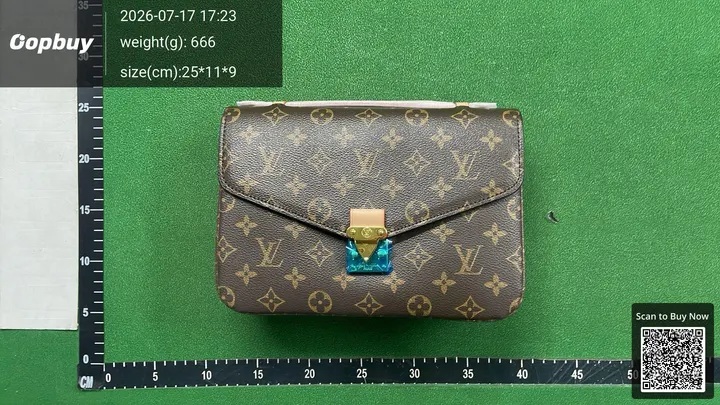
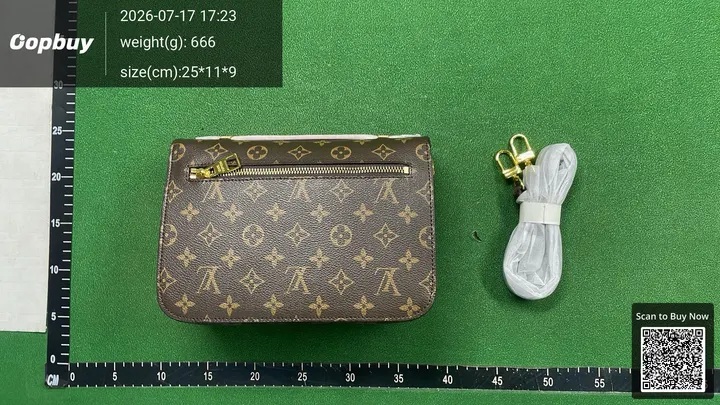
Three standard QC shots and a basic arrival check
QC (quality check) photos are the warehouse's own pictures of your item, shot as it is logged into storage. OrientDig's photo page describes the standard set as "three basic images of the front, back, and side/logo", taken from fixed angles by product category; a blurry one can be retaken at no cost. Other OrientDig pages advertise more photos than that, so this guide quotes the photo page and treats the larger numbers as advertising.
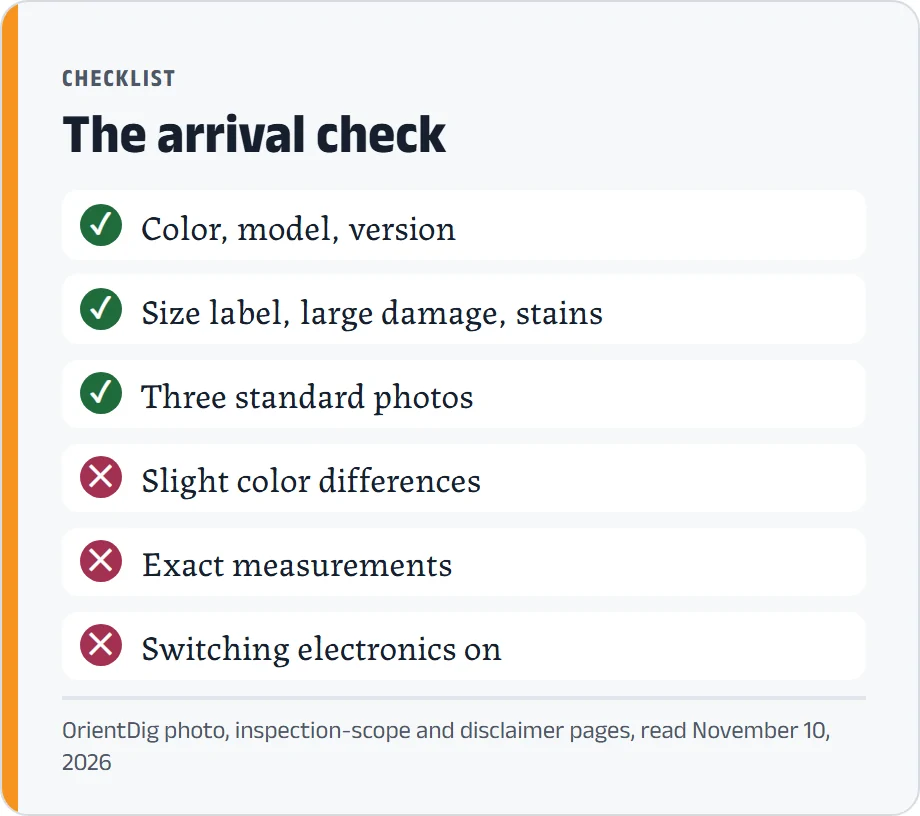
The photos come with a basic appearance check. OrientDig's inspection-scope page lists color, large damage, stains, size, model and version, and leaves out slight color differences and small measurement errors. For electrical goods the disclaimers are explicit: the inspector "can't turn on the equipment to check the quality".
Which badges a photo can settle
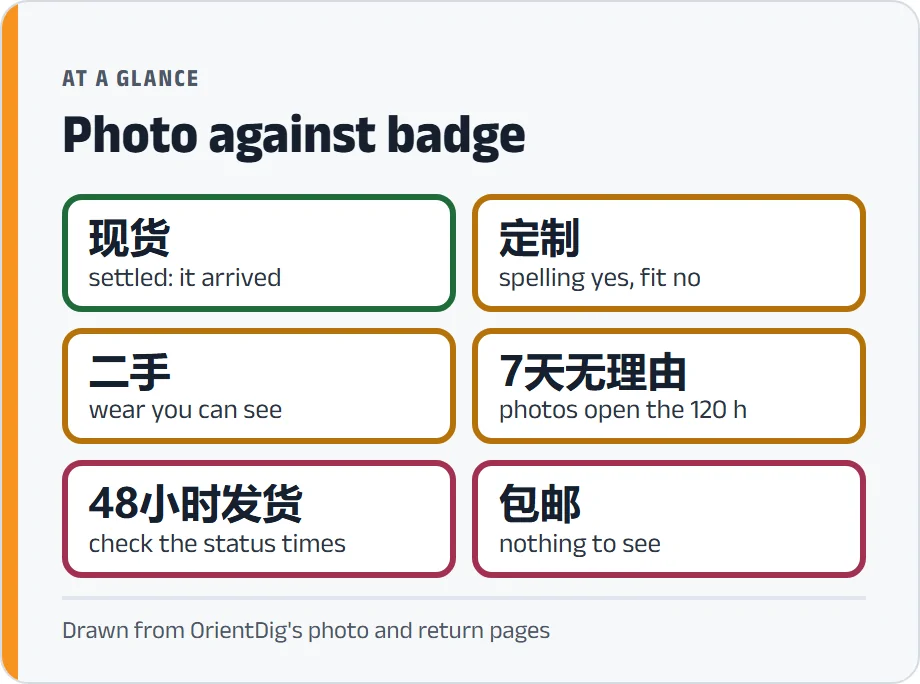
Some badges are settled the moment the photos appear. 现货 is: the item reached the warehouse, so the stock was real. 定制 partly is: a photo shows whether the engraving or printing is spelled as agreed, though not whether a measurement or a lens is right. 二手 benefits most, since condition is the whole question and the photos are your only look before the parcel.
Others cannot be settled by a picture. 包邮 was already applied at payment. 48小时内发货 is proven by the status history, not the photos: compare the time your order became Purchased with the time it became Shipped (Local). And 7天无理由 turns the photos into evidence. Whatever you see in them is what you have within the 120-hour window to act on.
Reading QC images within the five days
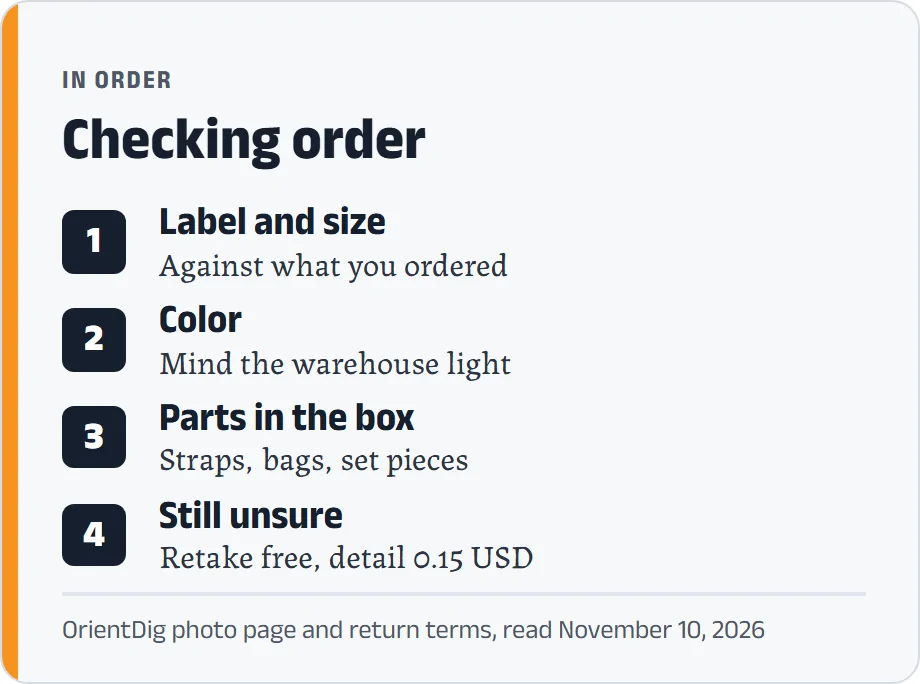
Put the listing's own photos next to the warehouse photos and go through them in this order. First the label and size tag against what you ordered; a wrong size is a seller error and changes who pays for a return. Then color, accepting that warehouse light differs from studio light and that slight differences are outside the check. Then the parts that come in the box: straps, dust bags, extra laces, a second piece in a set.
If something matters and is not visible, order detailed photos (0.15 USD each) and name the angle or the measurement you want, with the item number. If a photo is simply unclear, ask for a retake instead. Get through the whole list the same day the status changes, not on day four; the return terms leave no grace period.
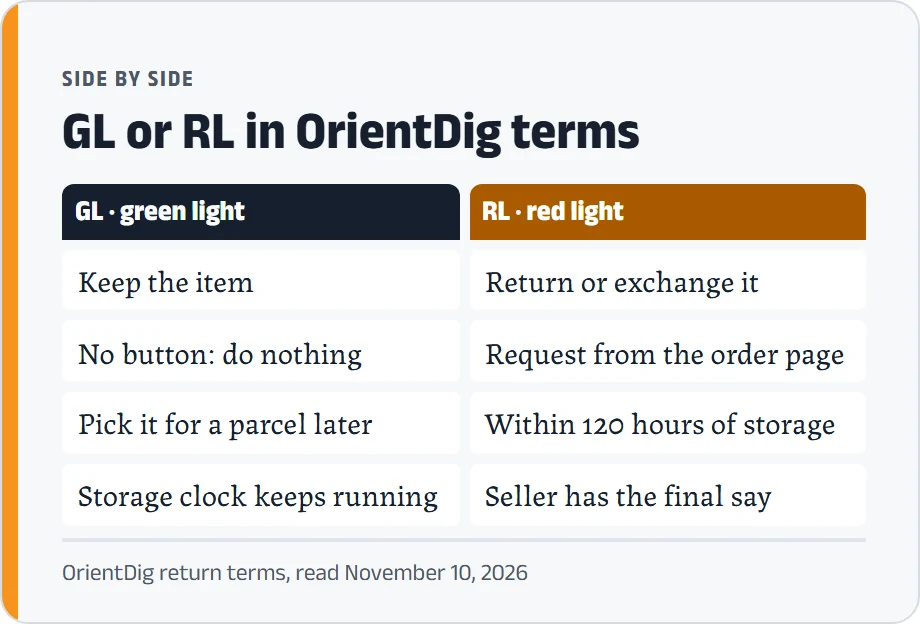
GL and RL, translated into OrientDig buttons
Buyers who post photos online use two shorthand answers. GL, green light, means the item is fine and can stay in the warehouse until you ship it. RL, red light, means it goes back, as a return or an exchange. OrientDig has no GL button: approval is simply doing nothing and later picking the item for a parcel. RL is the return or exchange request from your order page, which has to go in within the 120 hours and is decided by the seller.
Asking strangers for a GL is fine for a second opinion on color or stitching. It is no help with badges; whether a 7天无理由 tag applies to your item depends on OrientDig's exclusion list and the seller, not on how the photo looks.